Is there free furniture CNC software? An honest answer and a trial guide
CNC8 min readBy moducut
Summarize this article with an AI tool:
Short answer
Why do people look for "free"?
A workshop that is new to CNC has already made a serious investment in the machine. It does not want to add a software licence on top; that is a very understandable reaction. It also wants to know, without paying, whether a program will really work for it.
In this article we explain honestly what free options really do, where they fall short and how to use a trial period.
What do free tools do?
Free furniture and CNC tools usually solve only one link in the chain.
| Tool type | What it does | What it doesn't do |
|---|---|---|
| Free cutting optimization | Places a size list on sheets | Doesn't draw cabinets or produce holes and G-code |
| Basic 3D drawing program | Visual design | No production sizes, cut list or machine file |
| Free / open-source CAM | Toolpaths from a drawing | Doesn't understand cabinets; parts prepared one by one |
| Software that came with the machine | Reads the file, drives the machine | Usually no cabinet drawing or furniture nesting |
| Excel templates | Cut list table | Manual calculation; no layout or file |
These tools are useful on their own. For example, a free cutting optimization tool may be enough for a workshop that only does panel sizing. The problem is that a workshop making cabinets on a CNC needs all these steps at once.
How is a kitchen prepared with free tools?
Preparing the CNC files for a kitchen with free tools is possible, but there are many steps:
- Cabinets are drawn in a drawing program.
- Each cabinet's part sizes are calculated by hand and typed into Excel.
- The list is imported into a cutting optimization tool.
- The layout is redrawn in a CAM program or imported as DXF.
- Hinge, dowel and back panel groove holes are added to each part one by one.
- The machine file is exported from the CAM program.
If the customer wants a cabinet 5 cm narrower, steps 2–6 are repeated. Size errors happen most in these transfer steps: a number in Excel, a hole in CAM.
What are the hidden costs?
The price of "free" software is paid somewhere other than the licence:
- Time: File preparation time. The machine is fast, but a machine whose file is prepared slowly waits.
- Waste: Basic layout tools may not support grain direction, cutter allowance or offcut use. A few points of waste difference means a lot of sheets over a year.
- Errors: Sizes and holes transferred by hand increase the risk of faulty parts. A single wrongly cut door can cost more than a month of software.
- Dependence on one person: If only one person knows the chain, production stops when that person is not there.
To measure these costs, do a simple calculation: how many hours did you spend preparing files last month, how many sheets did you waste, how many parts were recut?
How do you make the most of a trial period?
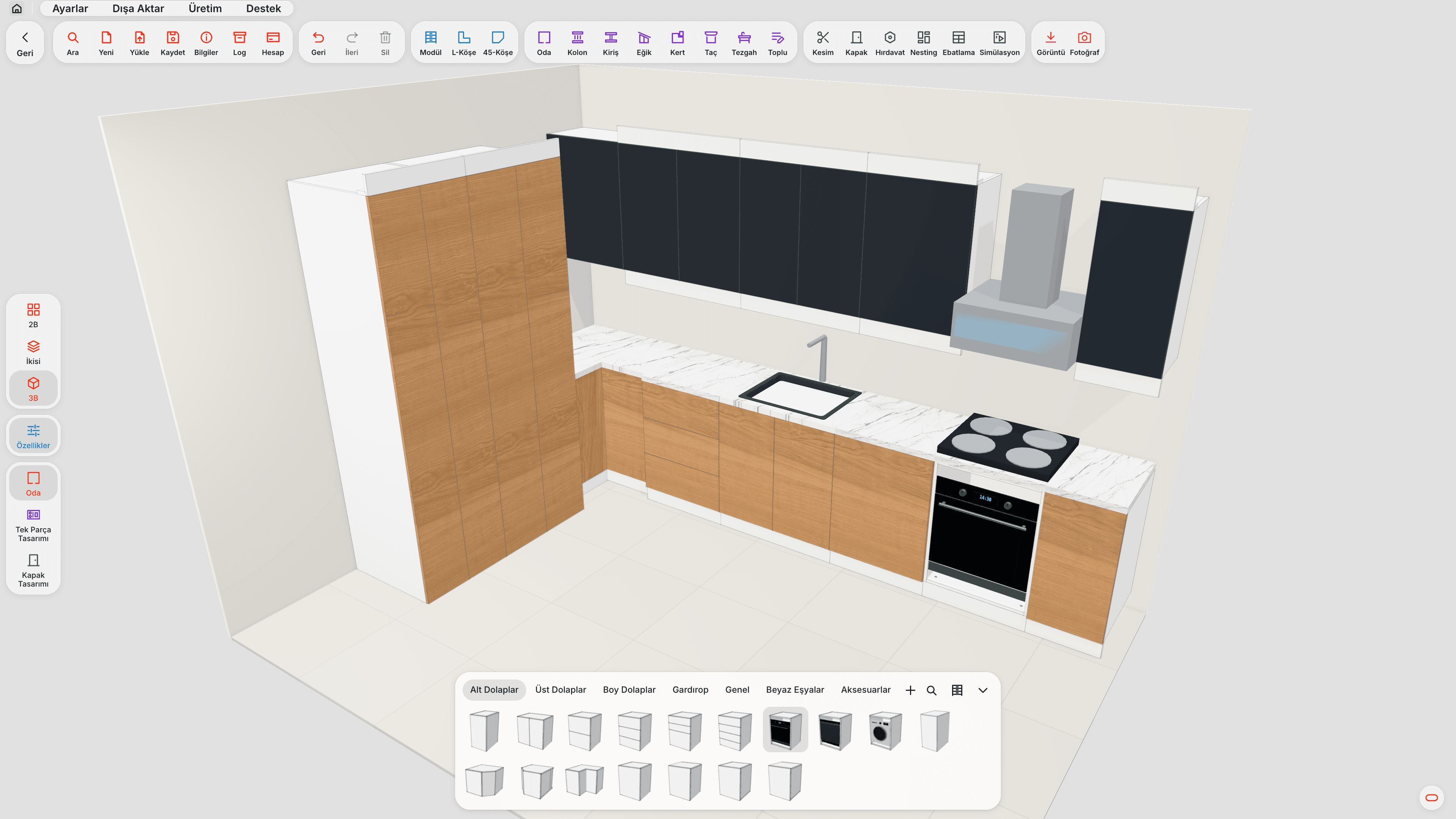
Most dedicated furniture programs come with a time-limited trial. In moducut this period is 7 days. Seven days may seem short; used without a plan, it really is. Follow this plan:
Day 1: Installation and first cabinet. Install the software, draw a single base cabinet with ready-made modules and look at the cut list.
Day 2: A real job. Draw a kitchen you made last month. Define your own sheet and edge band types.
Day 3: Nesting. Run the layout; compare the sheet count with your old method. Choose CNC or guillotine according to your machine.
Day 4: Machine file. Export G-code and watch it in the cutting simulation. If your machine is not on the list, request the machine profile right away.
Day 5: First cut. Try the file on a scrap sheet or at low speed.
Day 6: Change test. Change a cabinet's size; see what updates on its own.
Day 7: Team test. Have your craftsman or operator use it.
With this plan, at the end of the trial you answer "does it work?" with your own job rather than a guess.
What should you check before moving to paid software?
- Does it work with your machine? Don't decide before the first cutting test.
- How does the licence work? On how many computers can it be used, and are updates included?
- What is support like? Can you reach a support team that speaks your language and knows workshops?
- Waste and time savings: How much did you save on the trial job? Does that saving cover the licence cost?
moducut does not publish its prices on the website; you can contact us for the difference between the two packages and pricing.
How do you move from free tools to paid software?
A workshop working with free tools does not switch to new software in a day. To make the switch smooth:
- Start new jobs in the new software. Finish ongoing jobs with the old method; don't try to move half-finished jobs between programs.
- Set up your sheet and edge band library once. Once your common decors, thicknesses and edge band types are defined, later jobs go faster.
- Verify the machine profile in the first week. Are tool diameters, depths and speeds correct? Try the first few files on scrap sheets.
- Save your standard cabinets. Add the base, wall and tall cabinets you make most to the library; you won't draw them from scratch in later projects.
- Train the team. If the person who draws and the person who runs the machine are different, both should know the flow.
What happens to my old Excel lists?
Cut lists you kept in Excel are valuable as an archive: when a past job is repeated, you find the sizes there. But in dedicated furniture software the cut list comes from the drawing, so new jobs no longer need Excel. Rather than importing old lists, drawing frequently repeated cabinets once in the software and saving them to the library is a more lasting solution.
When is a free tool enough?
To be honest, free tools are enough for some workshops:
- Workshops that cut a few parts a month and don't make cabinets
- Workshops that only do panel sizing and drill holes and grooves by hand
- Workshops where sign and carving work dominates and furniture is a side job
In a workshop that makes cabinets regularly and runs the CNC every day, however, file preparation time and waste quickly outgrow the savings of a free tool. In that case, furniture CNC software brings the chain from drawing to machine into a single project.
We explained how the flow from drawing to machine works in our furniture CNC software article and ways to reduce waste in our sheet optimization software article. moducut's machine file features are on the G-code and CNC page.
Frequently asked questions
Is there completely free furniture CNC software? Fully free software that offers cabinet drawing, cut list, nesting and machine-ready G-code together is not common. Free tools usually do only one of these steps.
Is moducut free? No. moducut has a 7-day free trial; a licence is required after that. Contact us for pricing.
Can I get G-code in the trial version? Yes. In the 7-day trial, drawing, cut list, nesting and G-code are available; a total of 10 different sheets can be sent to production (G-code or DXF) during the trial. That is enough to try a real job on the machine from start to finish.
Is a free cutting optimization tool enough for CNC? It is enough for placing a size list. Holes, grooves and the machine file must be prepared separately.
Can I use free online or mobile software? Some simple tools run in the browser. moducut, however, is a Windows desktop program only.