Furniture CNC software: types, selection criteria and a comparison table
Updated: CNC10 min readBy moducut
Summarize this article with an AI tool:
Short answer
What do you find when you search for furniture CNC software?
A search for "furniture CNC software" puts very different programs on the same list. Some only drive the machine, some cut any kind of part but do not understand cabinets, and some cover the whole chain from drawing to machine file. So before comparing names, you need to separate the types.
In this article we explain the types and comparison criteria rather than listing program names. Always verify a specific program's current features and price on its maker's own website; features change from version to version.
What types of furniture CNC software are there?
1. Control software that comes with the machine
This is the software supplied when you buy a CNC machine. Its job is to drive the machine, read the file and start the cut. Most include basic toolpath creation, but no cabinet drawing, cut list or furniture-ready nesting. This software is indispensable but not enough on its own: you need another program to prepare the file.
2. General-purpose CAM software
These produce toolpaths from any geometry: signs, moulds, carving, furniture. They are powerful and support many machines. But they do not understand cabinets; you have to draw each part separately or import it from another program. When a cabinet size changes, preparing the parts again is up to the user.
3. CAD plug-ins
These are furniture plug-ins installed inside popular 3D drawing programs. They use the power of the drawing program; a parts list and cutting file can be taken from the drawing. Usually you need licences for both the main program and the plug-in, and using them requires knowing the main program.
4. Dedicated furniture software
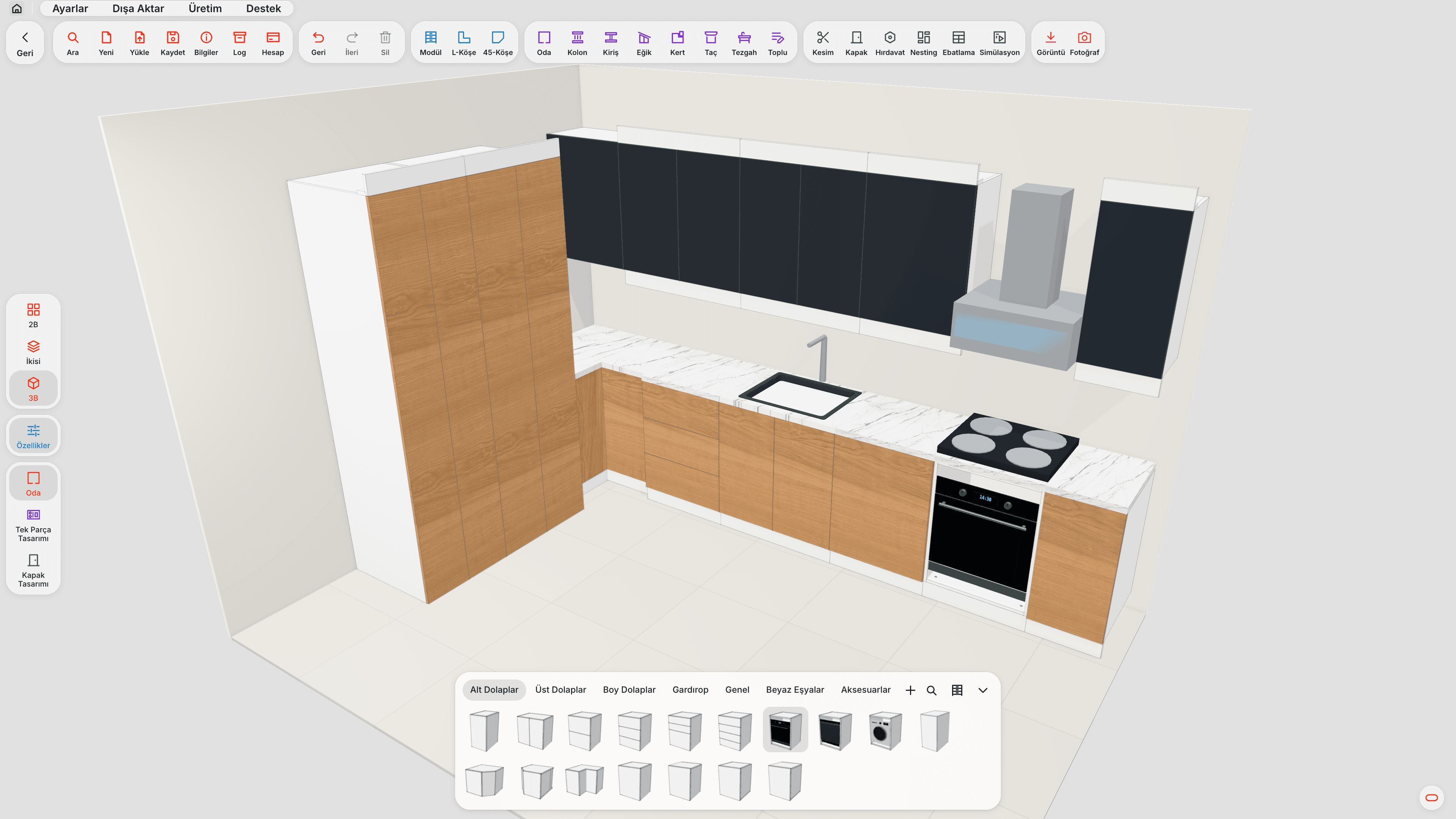
These programs understand a cabinet as carcass, shelves, doors, drawers, back panel and edge banding. You draw with cabinet dimensions; parts, cut list, nesting and machine file all come from the same project. There are many local and international programs in this group; they differ in scope (drawing only, or all the way to CNC), machine support and ease of use.
| Type | Cabinet drawing | Cut list | Nesting | G-code | Learning |
|---|---|---|---|---|---|
| Machine software | No | No | Limited | Machine-specific | Easy |
| General CAM | No | No | Yes | Broad support | Long |
| CAD plug-in | With main program | Yes | Varies | Varies | Must know main program |
| Dedicated furniture | Yes | From drawing | Yes | Via profile | Short–medium |
Moducut and other software
| Feature | Moducut | Other software |
|---|---|---|
| Cabinet drawing and CNC file | Same program, same project | Usually needs separate drawing and CAM programs |
| Cut list | Generated from the drawing | Prepared by hand or with a plug-in |
| Nesting | With grain direction and cutter allowance | Varies by program |
| Holes and grooves | Come with the part | Often prepared separately at the machine |
| G-code | Based on the machine profile | Machine-specific or needs a separate post processor |
| Interface language | Turkish | Mostly English or partly Turkish |
| Learning time | Short | Long for general CAM programs |
Which criteria should you compare?
Once the software type is clear, score the candidates on the same criteria. Filling in the table below during the trial is useful.
| Criterion | Question to ask | Why it matters |
|---|---|---|
| Machine compatibility | Is my machine on the ready list, and if not, how is a profile added? | A wrong post wastes sheets |
| G-code from drawing | Do I have to draw parts a second time? | Sets file preparation time |
| Nesting | Grain direction, cutter allowance, offcut use? | Waste is a direct cost |
| Holes and grooves | Do hinge, dowel, shelf pin and back groove come with the part? | Avoids a second setup at the machine |
| Cutting order | Are small parts cut without shifting? | Size errors and chipped edges |
| Verification | Can I see the file without cutting? | Catches errors on the first try |
| Flip-side operations | Are underside operations split into a separate program? | Prevents operator errors |
| Learning time | Can a craftsman use it quickly? | Reduces dependence on one person |
| Support | Is there support in your language from people who know workshops? | Matters when production is waiting |
| Trial | Can I try it with my own job? | The only reliable basis for a decision |
What should you do during the trial?
Watching a demo video is not enough. Use the trial period in this order:
- Pick a real job: A kitchen of a few cabinets that you made last month.
- Take it from start to finish: Drawing → cut list → nesting → machine file.
- Change one size: Narrow one cabinet; see what updates on its own.
- Try the file on your machine: On a scrap sheet or at low speed.
- Have your craftsman use it: Can they work with it when you are not there?
- Compare waste: How many sheets did you use for the same job with your old method?
A program you cannot get through these six steps with is a program you will struggle with in the workshop too.
Where does moducut fit among these types?
moducut is dedicated furniture software and runs on the Windows desktop. You draw the cabinet; the cut list, nesting (CNC or guillotine layout) and G-code come from the same project. To be honest, its strengths and limitations are as follows:
Strengths
- One project from drawing to machine file; when a size changes, the chain updates on its own.
- Cutting order proceeds from the corner where the machine starts and brings small parts forward; optional offcut cutting.
- Hole verification after nesting and separate flip-side programs.
- Workshop-specific operations such as 45° mitres and V-folding; optional pen marking.
- With the cutting simulation, the file is watched before it goes to the machine.
Things to know
- Runs only on Windows; there is no browser or mobile version.
- If your machine profile is not on the list, it is requested from the panel; preparing it can take time.
- Prices are not published on the website; you need to contact us for packages.
- There is a 7-day free trial; a licence is required after that.
The details of the flow from drawing to machine are in our furniture CNC software article and the machine file features on the G-code and CNC page. For a cost comparison of software types, see our how to choose furniture CNC software article.
Which type suits which workshop?
- A workshop that also does signs and carving: General CAM is needed; dedicated furniture software can be added alongside it for furniture.
- A team that already knows a 3D drawing program well: A CAD plug-in may make sense.
- A workshop that mainly makes cabinets and is new to CNC: Dedicated furniture software is the option that shortens file preparation time the most.
- A workshop that cuts on a panel saw and drills on the CNC: Look for software that offers guillotine layout and separate drilling programs.
What are the most common mistakes when comparing?
Looking only at the 3D render. A realistic render is valuable for presenting to the customer, but the workshop's real concern is the machine file. A program with nice renders and weak cutting files costs time in the workshop.
Deciding with the demo project. The demo project prepared by the vendor is where the program looks its best. Without trying it with your own job, your own sheets and your own machine, you cannot know whether it suits your workshop.
Leaving machine compatibility until last. The most common disappointment is the machine not reading the file after the software has been bought. Check machine compatibility on day one; if your machine is not on the list, find out how long the profile will take.
Ignoring learning time. Very powerful but complex software can turn into a program only one person can use. On the day that person is off, the CNC stops.
Not measuring waste. The nesting difference between programs only shows when measured on the same job. Lay out the same kitchen in two programs and compare the sheet count.
How should updates and support be evaluated?
Furniture CNC software is not something you buy once and forget. As new fittings, new machines and new sheet types appear, the software also needs updating. When deciding, ask:
- Are updates included in the licence?
- How long does it take to add a new machine or fitting?
- Through which channel, and in which language, is support given?
- How quickly do you get a response when you report a bug?
Frequently asked questions
Which is the best furniture CNC software? There is no single program that suits everyone. The best one for you is compatible with your machine, gives G-code directly from the drawing and can be used by your team quickly; you only find out by trying it with your own job.
Isn't the software that came with the machine enough? It is enough to drive the machine, but it usually has no cabinet drawing, cut list or furniture-ready nesting. You need a second program to prepare the file.
Does furniture CNC software run on a Mac? It depends on the program. moducut runs only on the Windows desktop.
Will switching software make me lose old projects? Projects usually do not transfer one-to-one between programs. During the switch, the safest way is to start new jobs in the new software and finish old jobs in the old one.
What information should I prepare for the comparison? Your machine's brand, model and controller; the sheet and edge band types you use most; a sample project and the number of sheets it used with your old method.